
Staff Calling System
Wireless Staff Calling & Paging System
One press of a call button alerts the right staff member and shows who needs help and where. Used in restaurants, hotels, clinics, care homes and work sites, with no internet needed.
- 2 Call Button Series
- Discreet Alerts
- No Internet Needed

Table 12 Needs Assistance
Call button pressed
+15%
Staff productivity, as your team responds quickly and accurately
+20%
Satisfaction among the customers, guests and patients you serve
400 m
Maximum transmitting range, for dining rooms, hotel floors, wards and sites
Figures are SIGNALGRYD estimates.
The Basics
What Is a Staff Paging System?
A staff paging system lets anyone press a button to alert a specific staff member. Their pager or watch beeps or vibrates and shows who is calling and where, so the right person responds without a phone call or a PA announcement.
Staff use it to page each other, from the kitchen to a waiter or from the site office to a driver, and patients or guests can use call buttons to reach staff too.
At a Glance
- Range
- Up to 400 m or 600 m
- Receivers
- Pager, watch or display panel
- Pagers
- Numeric or alphanumeric
- Power
- Rechargeable lithium-ion
- Extra range
- Optional signal repeater
- Internet
- Not needed
How It Works
How a Staff Calling System Works
Press to Call
A customer, guest, patient or colleague presses the call button when help is needed.
Instant Alert
The staff member’s pager shows who is calling and where, straight away.
Respond Promptly
Staff head to the right place and take care of the request.
Service Request System
See how call buttons and staff pagers work together.
Products
Choose Your Call Button Series
Two call button series. For worker paging, choose numeric or alphanumeric pagers.
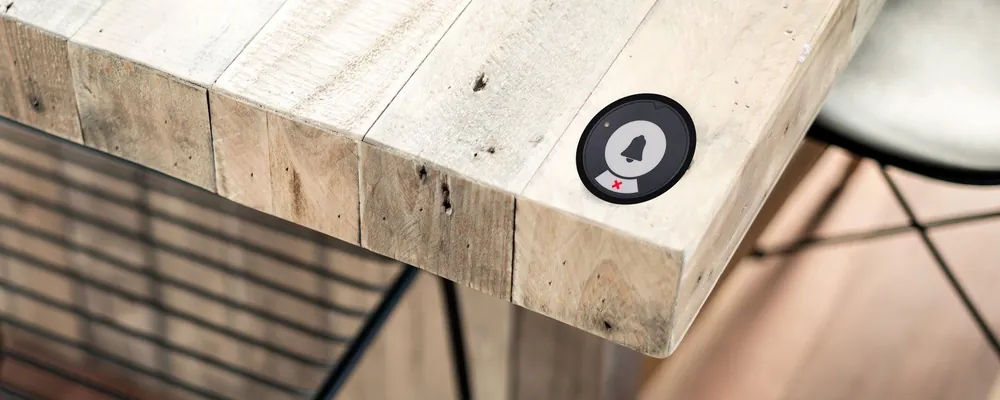
Series Modern
Sleek and minimal in bold colours, with soft, discreet alerts. Up to 400 m range.
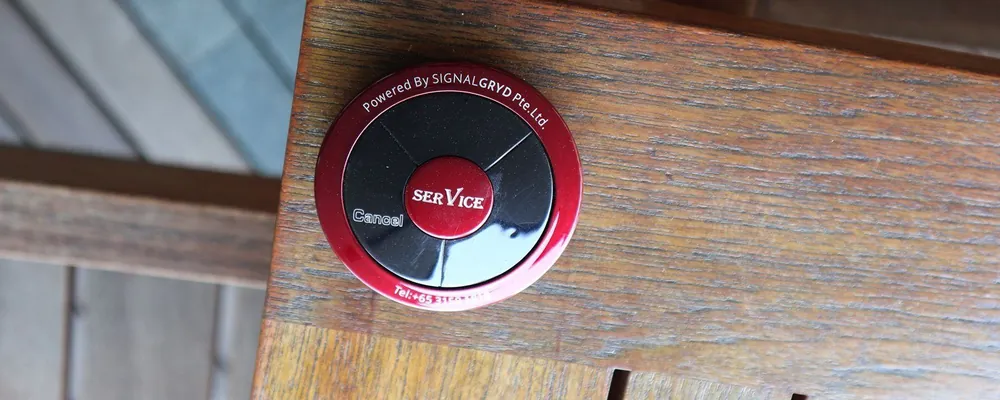
Series Primary
Classic and practical, with stronger alerts and more custom options. Up to 600 m range.
Every Series Includes
- CE & IMDA Compliant
- Water & Impact Resistant
- Lithium-Ion Rechargeable
- Numeric or Alphanumeric Pagers
- Local Warranty
- No Internet Needed
Pager Types
Numeric or Alphanumeric Pagers?
Both beep and vibrate when a page arrives. They differ in what the screen can show.
Numeric Pager
Shows numbers, such as a table, a room, a bay or a code your team agrees on.
Best for: simple calls to a known place
Alphanumeric Pager
Shows letters as well as numbers, so a page can carry a short message as well as a location.
Best for: teams that use short coded messages
By Industry
How Staff Calling Is Used Across Industries
The same pagers and call buttons, set up for how each team works.

Restaurants, Cafes & Bars
Managers page floor staff, and the kitchen tells waiters when food is ready. Diners can call a waiter from the table too.
Typical Setup
- Pagers or watches for floor staff
- A transmitter at the pass or the manager’s station
- Table call buttons, if diners call too

Hospitals, Clinics & Care Homes
Patients call a nurse from the bed, and staff page other departments about urgent tasks or emergencies. Families use the same call bells at home.
Typical Setup
- Call buttons at beds and rooms
- Pagers or watches for nurses
- A display at the nurses’ station

Hotels & Resorts
Housekeeping, maintenance, front desk and concierge reach each other with one press, and staff working alone can call for help.
Typical Setup
- Pagers or watches for each team
- Call buttons in lounges and meeting rooms
- Series Primary for large properties

Sites, Factories & Warehouses
The site office pages drivers, technicians, supervisors or emergency staff across a large, noisy site, without a PA announcement.
Typical Setup
- Numeric or alphanumeric pagers
- A transmitter in the site office
- Up to 400 m range
Also Used In
- Elderly Care at Home
- Logistics
- Automotive
- Education
- Government
Compare
Pagers vs Radios vs PA Announcements vs Phones
Four ways to reach a colleague, and who else hears it.
| Method | Who hears it | Hands-free? | Drawbacks |
|---|---|---|---|
| PA announcements | Everyone in the area | Yes | Disturbs customers, and gets lost in noise |
| Two-way radios | Everyone on the channel | No, someone has to answer | Constant chatter, and a handset for each person |
| Phone calls | One person | No | Someone has to pick up |
| Staff pagers | Only the person paged | Yes, it vibrates and shows the message | Pagers need recharging |
Staff or Service Calling?
Staff Calling vs Service Calling
Two related systems. Choose by who presses the button.
Staff Calling
Staff page each other, and patients or guests can press a button to reach a specific staff member.
Customers press a call button at their table or room, and staff see where help is needed.
Sizing
How Many Pagers and Call Buttons Do You Need?
Three quick steps. Then we’ll confirm the setup and send a quotation.
List Who Gets Paged
Everyone who should carry a pager or wear a watch.
List the Call Points
Beds, tables, stations or desks that need a call button or transmitter.
Check the Coverage
Up to 400 m with Series Modern and 600 m with Series Primary. Repeaters help with thick walls.
What Affects the Price
- The call button series you choose
- How many pagers, watches and buttons you need
- Any signal repeaters
- 10% Price Beat
- No GST
Price beat applies to bundled sets. T&Cs apply.
FAQ
Staff Calling & Paging FAQs
What is a staff paging system?
Pagers or watches for your staff, and buttons or transmitters to page them. One press tells the right person who needs them and where.
Who uses a staff calling system?
Restaurants and cafes, hotels and resorts, hospitals, clinics and care homes, and construction and industrial sites. See the pages for waiter calling, nurse call, elderly call bells, hotel staff calling and worker paging.
Can customers, guests or patients call staff?
Yes. Place a call button at a table, bed, room or desk. When someone presses it, the staff member’s pager or watch shows where help is needed.
Can staff call other departments?
Yes. Staff can page other departments about immediate tasks or emergencies, as well as answer calls from customers, guests and patients.
Numeric or alphanumeric pagers: which do we need?
Numeric pagers show numbers, such as a table, room or bay. Alphanumeric pagers also show letters, so a page can carry a short message.
Is it discreet?
Yes. It’s a low-powered system, and pagers only beep or vibrate when a call comes in, so you reach staff quickly and quietly.
Can it be used in an emergency?
Yes. Use it for everyday internal communication or to alert staff in an emergency, such as a fire.
Does it need Wi-Fi or cabling?
No. It communicates wirelessly by radio frequency, with no internet connection required.
Can we add more pagers or buttons later?
Yes. New devices are paired to your system, which you can do yourselves with no software, and we’re happy to help.
How much does a staff calling system cost?
Pricing depends on how many call buttons, pagers and receivers you need, so we quote for each site. Tell us your quantities and we’ll send a quotation within 24 hours.
How long does delivery take?
Usually about one week when the items are in stock, or up to two weeks when they need to be restocked.